Reminder Ninja
A scheduling SaaS platform designed from zero — full scope, 8 months.
0→1
Agency Project
Role
Product Designer
Timeline
8 months
team
3 Designers, 1 PM
platform
Web
Context
Reminder Ninja was an early-stage startup entering a market already occupied by Calendly, Doodle, and calendar-native booking tools. The founder wanted to build something more capable for teams — not just appointment booking, but a scheduling platform that could handle organisations, shared event logic, members, billing, and a novel cross-company availability feature called Team Connect.
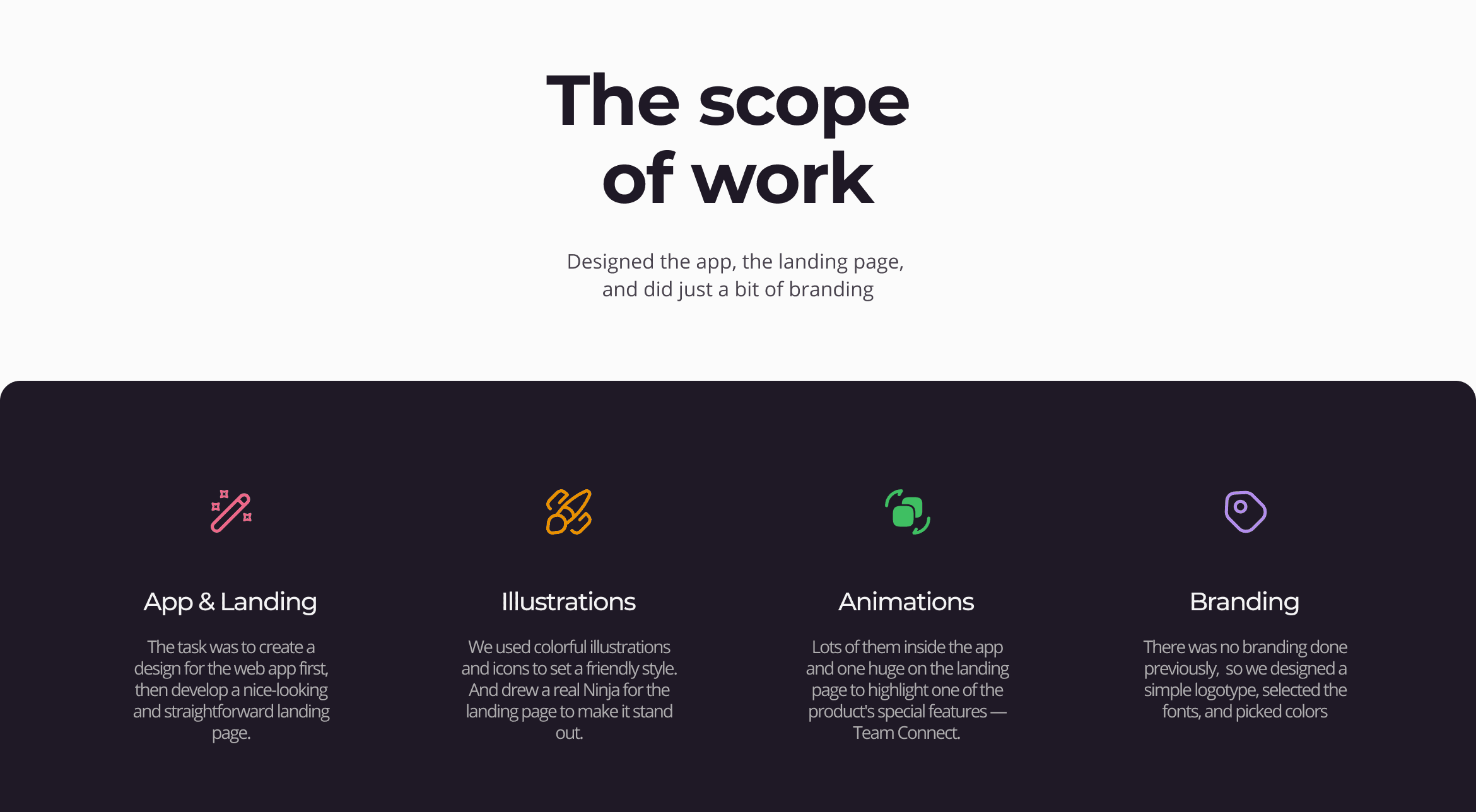
There was no existing product, no design system, no brand foundation. My role across this 8-month engagement was to design the entire product from scratch: from information architecture and wireframes through to final UI, visual identity, custom iconography, illustration, motion prototypes, and a responsive landing page. The brief was as open as a brief can be. And the first question wasn't what it should look like — it was what it actually needed to be.
Product Architecture
Before touching UI, I had to figure out what the product actually was.
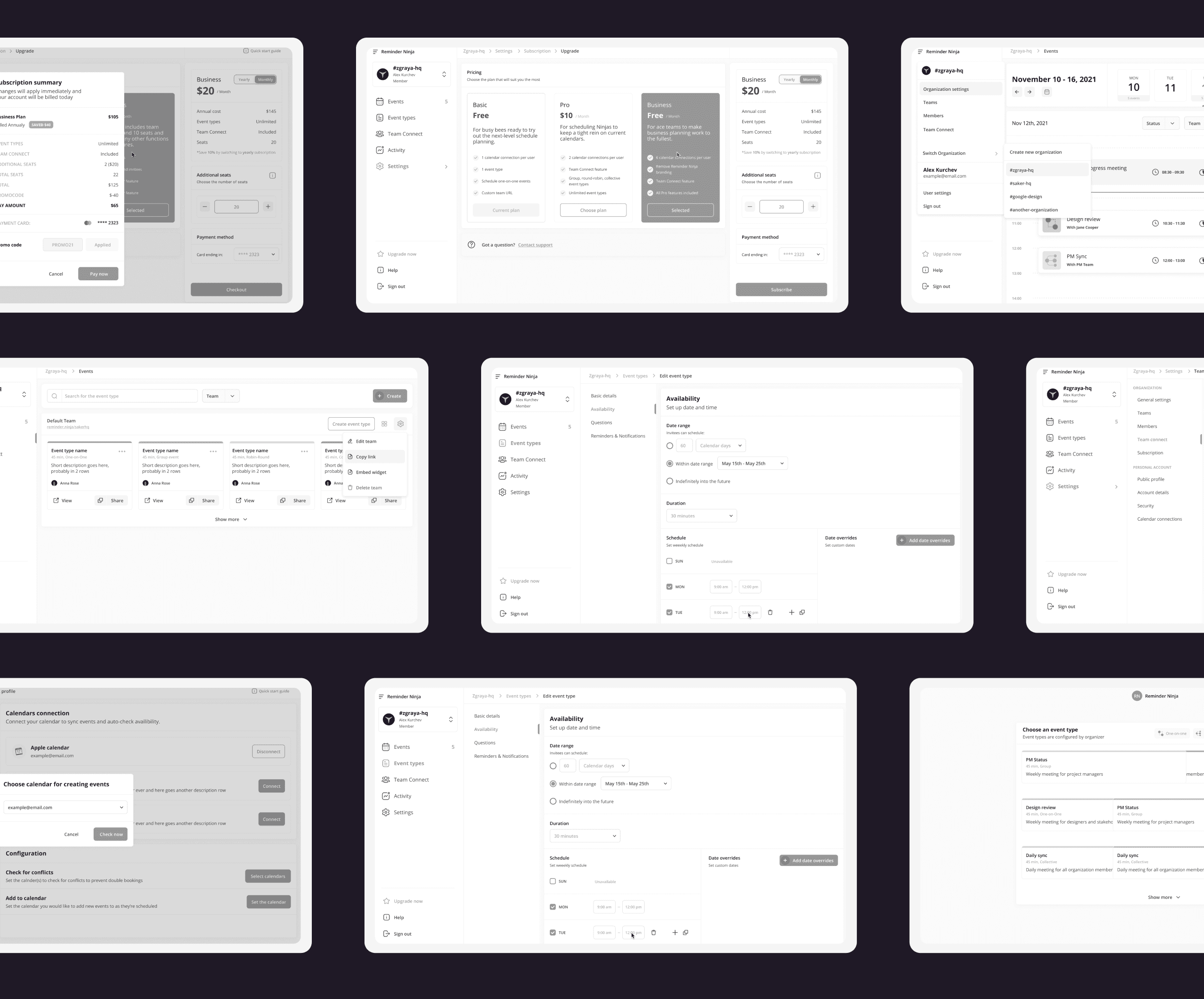
The feature list was broad: events, event types, team members, organisation settings, calendar connections, billing, activity tracking, onboarding, and Team Connect. Without a clear structure, the product would become a maze — too many areas, no separation between daily scheduling work and administrative configuration, and no room to grow without constantly restructuring the interface.
I separated the product into two distinct zones: a Control Panel for daily scheduling work (Events, Event Types, Team Connect, Activity), and Settings for organisation management (members, roles, billing, calendar connections, security). This gave the product a stable mental model — "where I do my work" versus "where I manage the organisation" — and a foundation that could scale. With the structure defined, I ran a full wireframe pass across all core flows before any visual decisions were made. This let us validate logic with the client early, and kept the design phase free of structural uncertainty.
Team Connect
Team Connect was the product's main differentiator — and the most complex UX problem in the project.
The idea: people from different organisations could find mutual availability and book a meeting without sharing calendars or belonging to the same workspace. This solved something Calendly-style tools don't address at all — scheduling across organisational boundaries without giving away calendar access. But the UX risk was real on two sides. Too technical, and users wouldn't trust it. Too abstract, and it wouldn't be clear what was actually happening.
The product had to communicate three things simultaneously: you are not sharing your calendar, you are only exposing availability, and the other person doesn't need to understand the infrastructure. I treated Team Connect as a lightweight coordination flow rather than an integration feature — the sequence was structured to feel like choosing a time, not configuring software. Select a connection. Define event details. Compare mutual slots. Confirm. Nothing that didn't belong to the user's decision appeared on screen.
The Web App
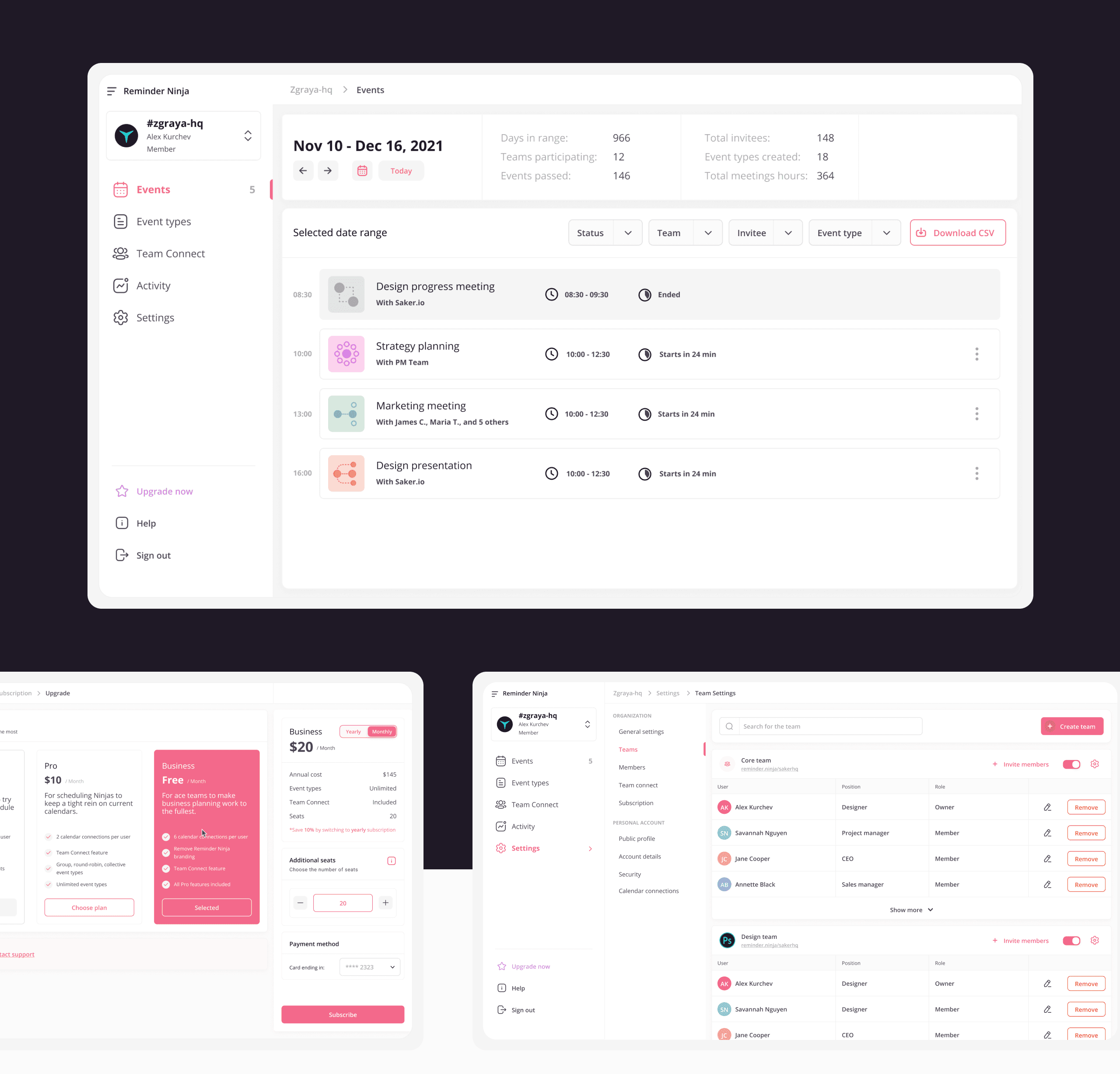
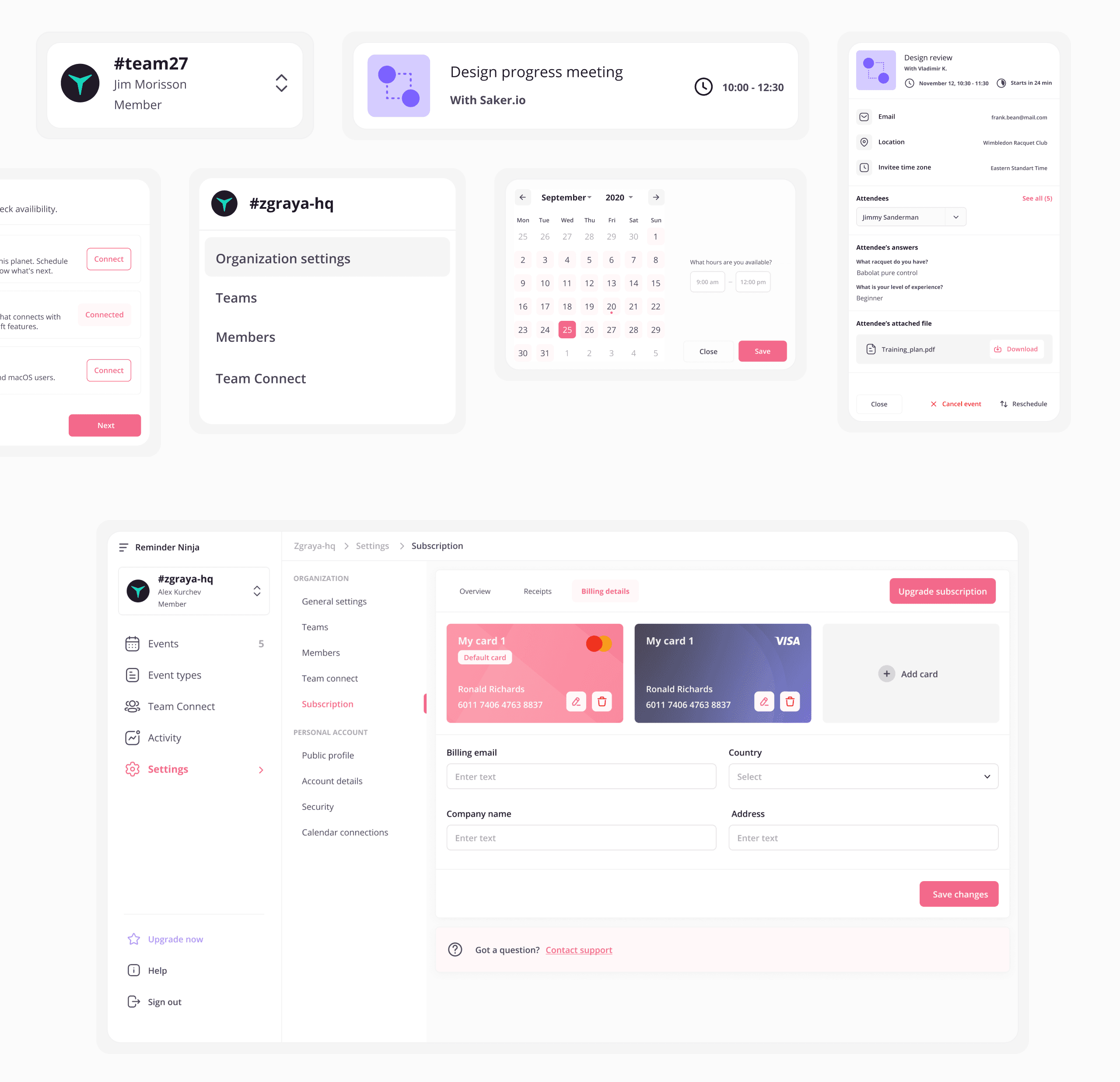
The web app covered five core areas: Events, Event Types, Team Connect, Activity, and Settings. Across all of them, the design goal was the same — reduce visual noise, make the most important information immediately readable, and stay out of the user's way.
Events used a weekly timeline with a live current-time indicator, clear status labels ("Ended", "Starts in 24 min"), and multi-filter controls. The goal was orientation at a glance — knowing what's done, what's next, and what needs attention without opening anything. Event Types used a card system grouped by team: scannable, expandable, with colour-coded category labels that distinguished types without cluttering the interface. Settings used a secondary navigation pattern with clearly separated modules — Organisation, Teams, Members, Subscription, Calendar Connections, Security — designed so the area could grow without restructuring. Subscription and billing needed to convert: I designed a clear three-plan comparison with inline seat management and a Stripe-connected checkout flow. Not the most glamorous screen, but a critical one.
Visual Identity
Most scheduling tools look the same — neutral blues, clean white backgrounds, polite and forgettable. Reminder Ninja needed to feel different enough to be remembered, but structured enough to be trusted as a productivity tool. The visual direction came from the product name itself.
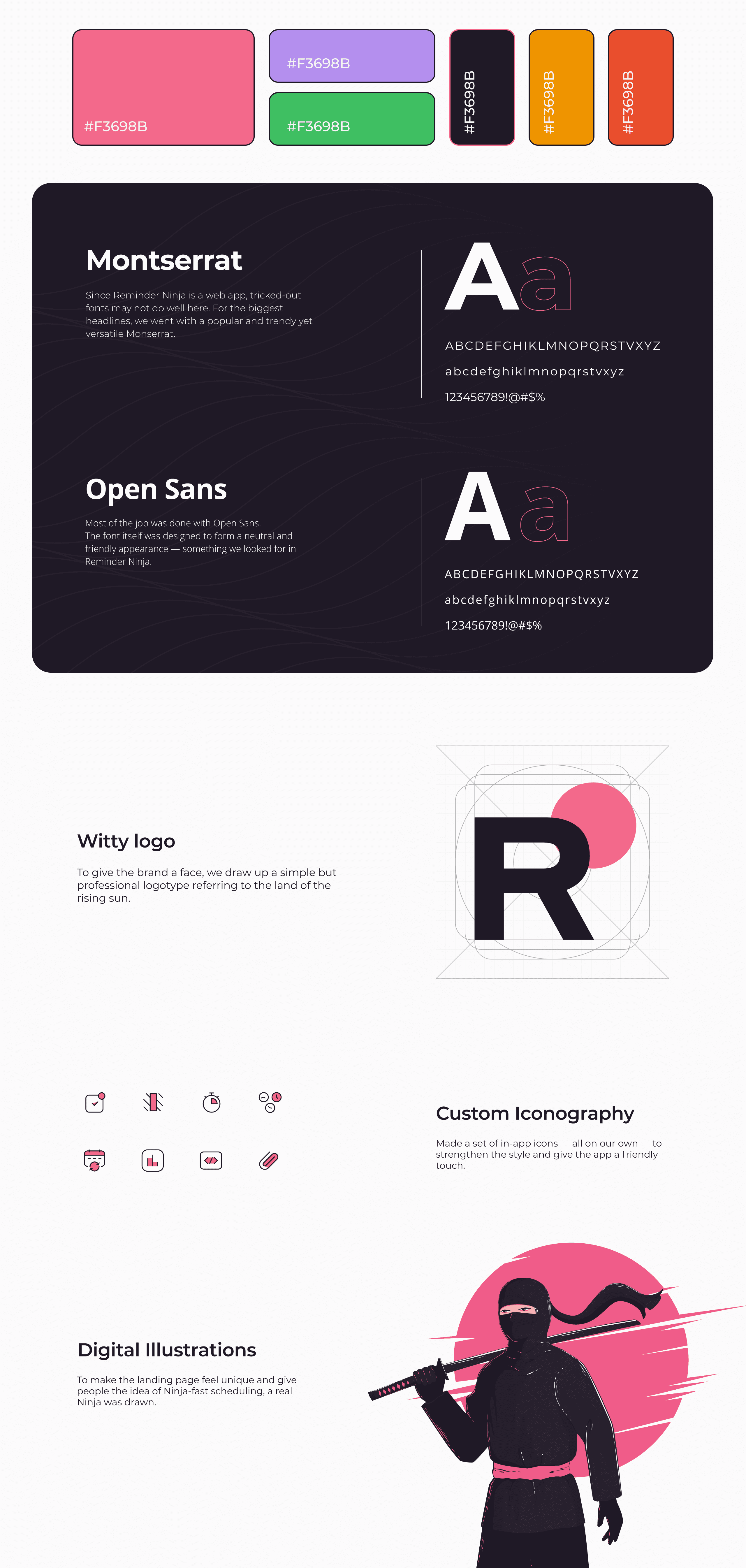
The Ninja concept gave us a clear reference — Japanese aesthetics, speed, precision — without forcing a gimmicky execution. I built the identity around hot pink as the primary action colour, supported by violet, drawing on sakura and purple sunsets. The palette was distinctive without being aggressive. Typography paired Montserrat for display headings with Open Sans for UI copy — confident where it needed to be, neutral where it needed to step back. The logo used a clean logotype with a rising sun circle embedded in the negative space of the "R" — a quiet brand reference that worked at any size. I created a custom icon set for the app's navigation and feature surfaces, because off-the-shelf icons wouldn't have matched the brand, and the scheduling domain has specific visual concepts that generic libraries handle poorly. The mascot illustration was developed for landing page use: a drawn Ninja character that became the brand anchor without being scattered throughout the product interface.
Landing Page, Motion & Outcome
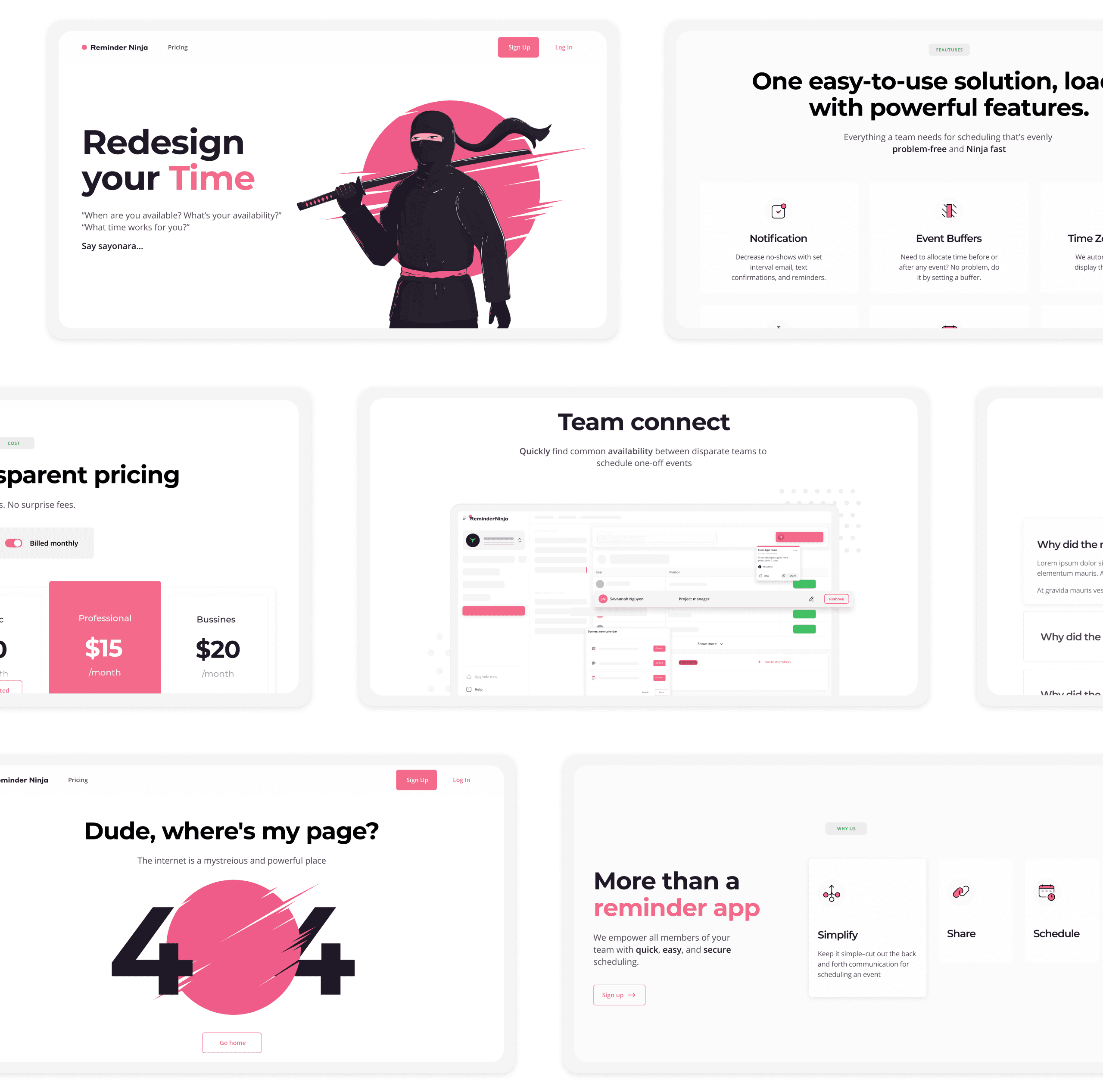
The landing page had one job: turn a visitor who'd never heard of Reminder Ninja into someone who understood what it did and why it was worth trying. I structured the page around product value before brand aesthetics — hero with the Ninja mascot, feature sections explaining the specific differentiators (Team Connect, notifications, event buffers, time zone management), transparent pricing with no hidden costs, and full responsive states for tablet and mobile. The mascot appeared at scale in the hero and at key scroll moments. Everywhere else, the page focused on showing the product clearly.
Motion was part of the design scope from the start, and I treated it as a functional layer rather than decoration. I prototyped key interface interactions in Principle — transitions, modal behaviour, onboarding steps, Team Connect flow — and defined the motion direction for the mascot animation. The production After Effects work was handled by the art director based on my prototypes. Animation served two functions: on the landing page it reinforced the "ninja-fast" brand positioning; inside the product it provided orientation feedback during multi-step flows. The project delivered a complete product-ready design foundation — coherent app structure, scalable navigation, differentiated scheduling flow, a recognisable visual identity, responsive marketing pages, and motion direction. Enough for a development team to build from, and for the startup to present with confidence.